Helpdesk
How do I request my books?
You can request your books once you have ordered licences that include printed course books.
Please note: Do not place a new order for the books. Instead, follow the steps below to request the books included with your order.
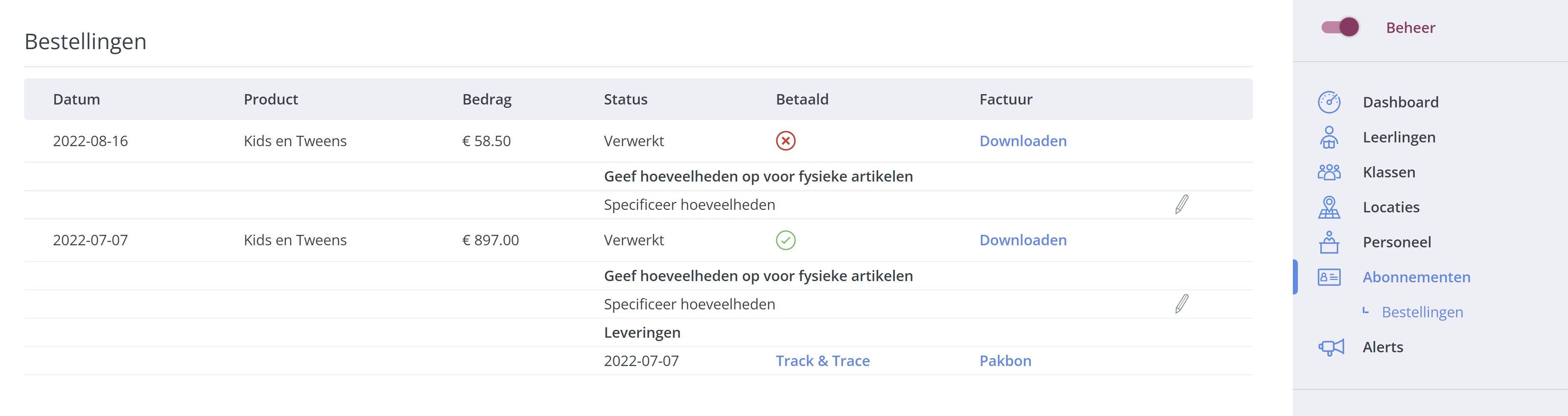
Go to Dashboard > Subscriptions > Orders
.
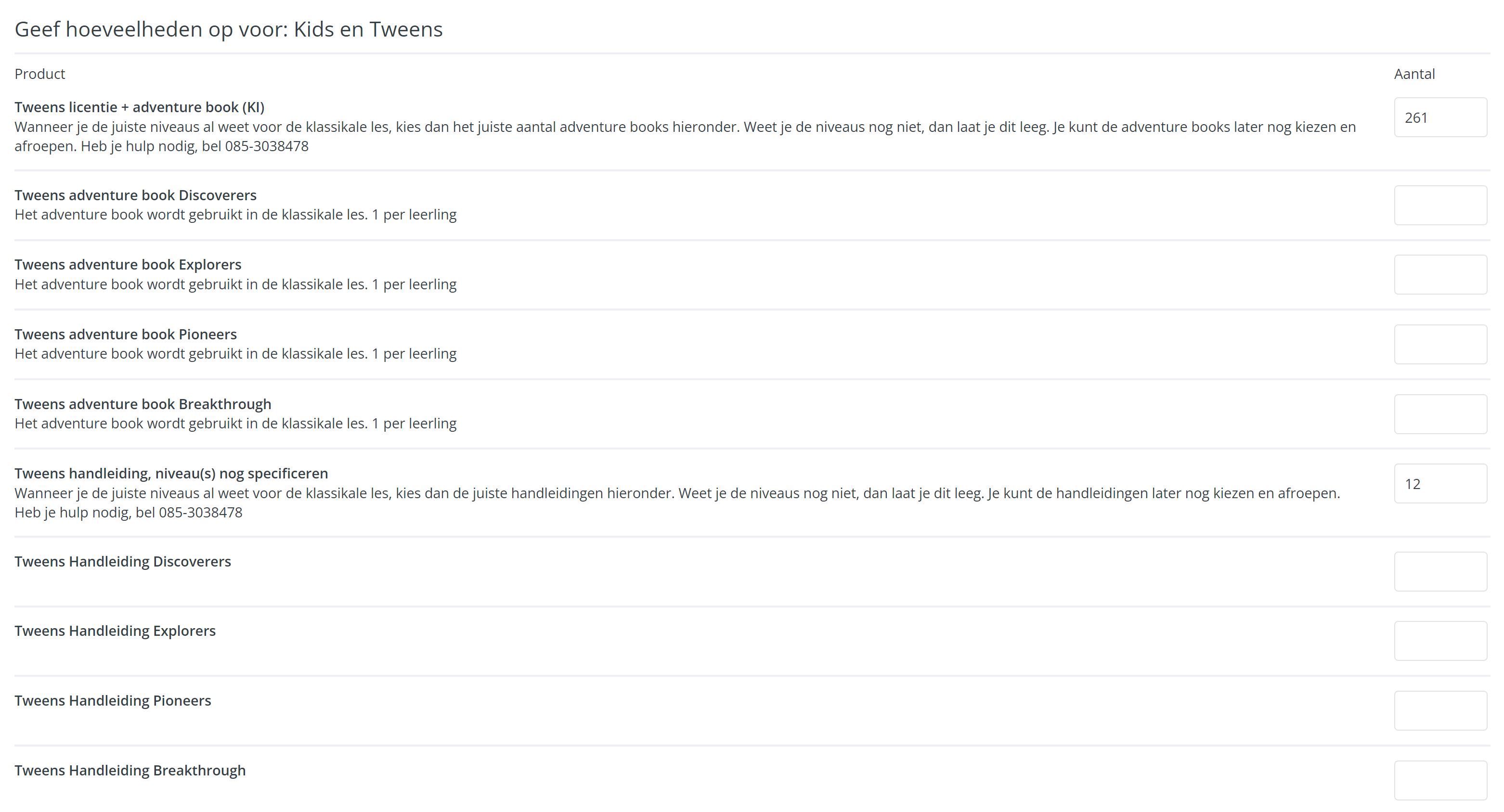
Open the order that says "Request books – specify quantities" and click the pencil icon. Here, you can specify which books you would like to receive.
You will see the total number of licences included in your order. You can then enter the number of books you would like to receive for each level.