
Helpdesk
What are Smart Goals?
Smart Goals are used to set personalised learning goals. For more information about what Smart Goals mean for both students and teachers, please read the news article on our website.
Would you like to get started straight away? Watch the video below for an introduction to setting up Smart Goals.
Video: Setting Up Smart Goals
Watch the video below for instructions on setting up Smart Goals.
Why use Smart Goals?
A Smart Goal is primarily used to set personalised learning goals.
Setting School Holidays
Before you can set up Smart Goals, the school administrator must first select the school holiday periods. The system will then automatically take these holidays into account when calculating Smart Goals.
Go to Management > Tools & Settings > School Holidays.
For each school year, select the holiday weeks ("On" = holiday week). Choose the correct year in the top-right corner of the screen and click Save in the bottom-left corner.
Setting Up Smart Goals
When setting up Smart Goals, you can choose between:
- Part of the Unit
- Time per Week
Part of the Unit
If you choose Part of the Unit, you can set an end goal for each student. This is the point in the learning path that the student should have reached by the end date of the Smart Goal.
Time per Week
If you choose Time per Week, you specify the desired amount of practice time per week. Based on the student's learning history, the system determines which point in the learning path can realistically be achieved. This point then becomes the end goal, and the weekly milestones are calculated automatically. After this, the weekly practice time is no longer the determining factor.
It is recommended to set a Smart Goal for a longer period (more than 10 weeks). Based on:
- the student's current level;
- the end goal;
- the end date;
the system calculates how much time the student should practise each week to achieve the goal.
Please note: The calculated time is based on net practice time. Please also refer to the help topic about Measured Time: https://learning.holmwoods.eu/Help/Teaching/measured-time
Video: Student Results
Watch the video below for an explanation of the information shown for each student when using Smart Goals.
Viewing Completed Smart Goals
You can review the goals achieved in previous weeks.
On this page, you can also easily see how many units each student is ahead of or behind their weekly goal.
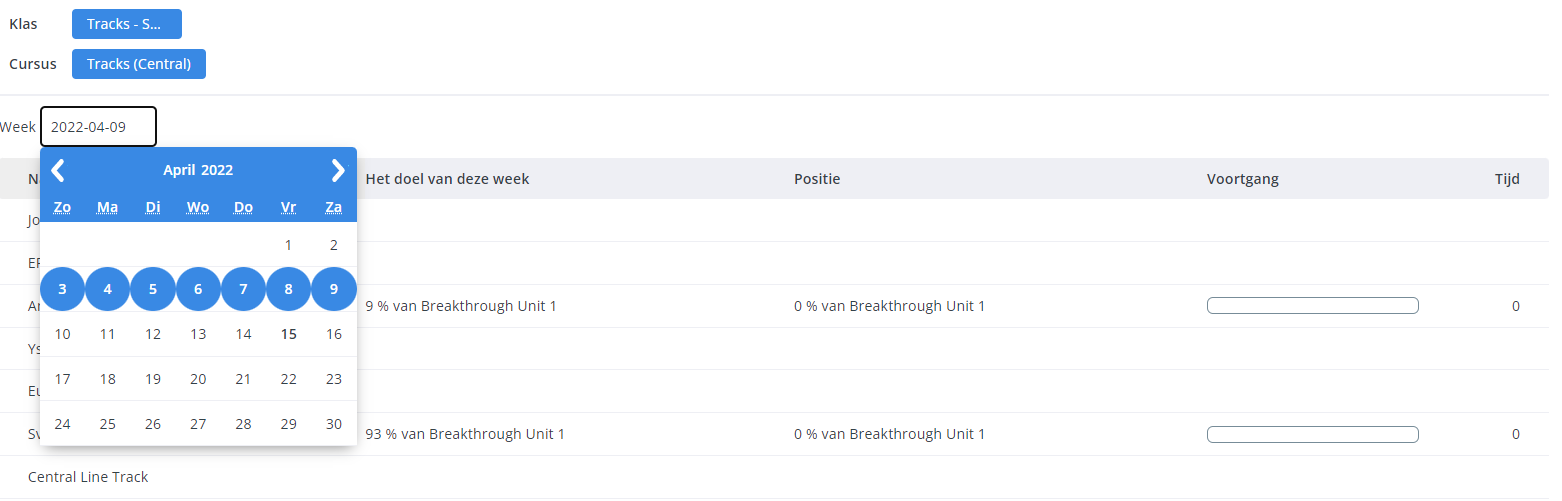
What do the progress bar colours mean?
- Blue = the weekly goal has not yet been achieved.
- Green = the weekly goal has been achieved.
- Marker (inside the green bar) = the weekly goal.
Move your mouse over the marker to see the weekly goal.
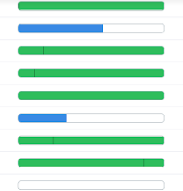
What does the student see?
Students see their weekly Smart Goal displayed in the pink panel.
This shows:
- what their goal is;
- how much has already been completed;
- how many minutes they still need to practise to reach their goal.
What is the difference between Goal and Target?
Goal (blue line)
The Goal (blue line) is the original goal, based on the start date, end date, starting point, and end point in the learning path, including any school holidays.
If no changes are made to the goal, this line remains constant.
Target (green line)
The Target (green line) is the current, updated goal. It takes into account all variables that occur during the learning process, such as a student having to repeat one or more exercises in order to achieve a passing grade.
The only constant is that the final Target always matches the final Goal.
The Target calculation also takes into account the student's working speed compared with the average working speed of all students.
The amount of time shown for a weekly goal is an indication. The point in the learning path (for example, 75% of Pioneers Unit 9) is the actual goal.
If the amount of time worked differs significantly from the calculated time, there is usually an explanation, such as the student having made multiple additional attempts.
The longer a student has been using Holmwoods, the more accurately the system can take that student's individual working speed into account.
Please note: The time calculation used for Smart Goals is quite complex and takes multiple factors into account. As a result, it is not always easy to determine why a specific number of minutes has been calculated. It is important to understand that the calculated time is always derived from the actual goal: reaching a specific percentage of a unit.