
Helpdesk
How do I renew my subscription?
To renew your subscription, you first need to sign in to your Holmwoods account. Make sure you are logged in as a School Administrator.
Next, go to Management > Subscriptions. Under your licence, you will see the option to Renew.
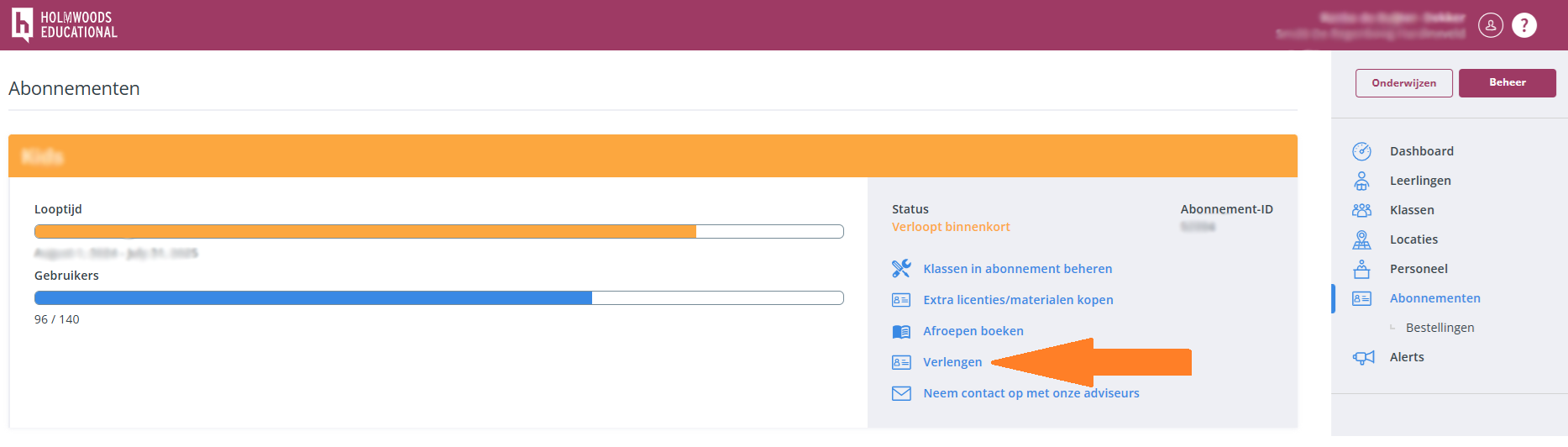
For more information about ordering, renewing subscriptions, and requesting teaching materials, please refer to the following help topic:
https://learning.holmwoods.eu/Help/Subscriptions/Order-and-renew